What to Do After Screen Time: How to Help Kids Move On Without a Fight
You said screen time was over five minutes ago. The screen is off. Your child is standing in the middle of the room asking for one more show, and you still have dinner to make.
Most advice for this moment is a list of activities. Lists are useful later. They are not much use in the ninety seconds after the screen goes dark, because the problem then is not a shortage of ideas — it is that nothing is ready, and your child has to invent something from nothing while already frustrated.
The most useful change is also the least obvious one: most of the work happens before the screen goes on, not after it goes off.
1. Start before the screen starts
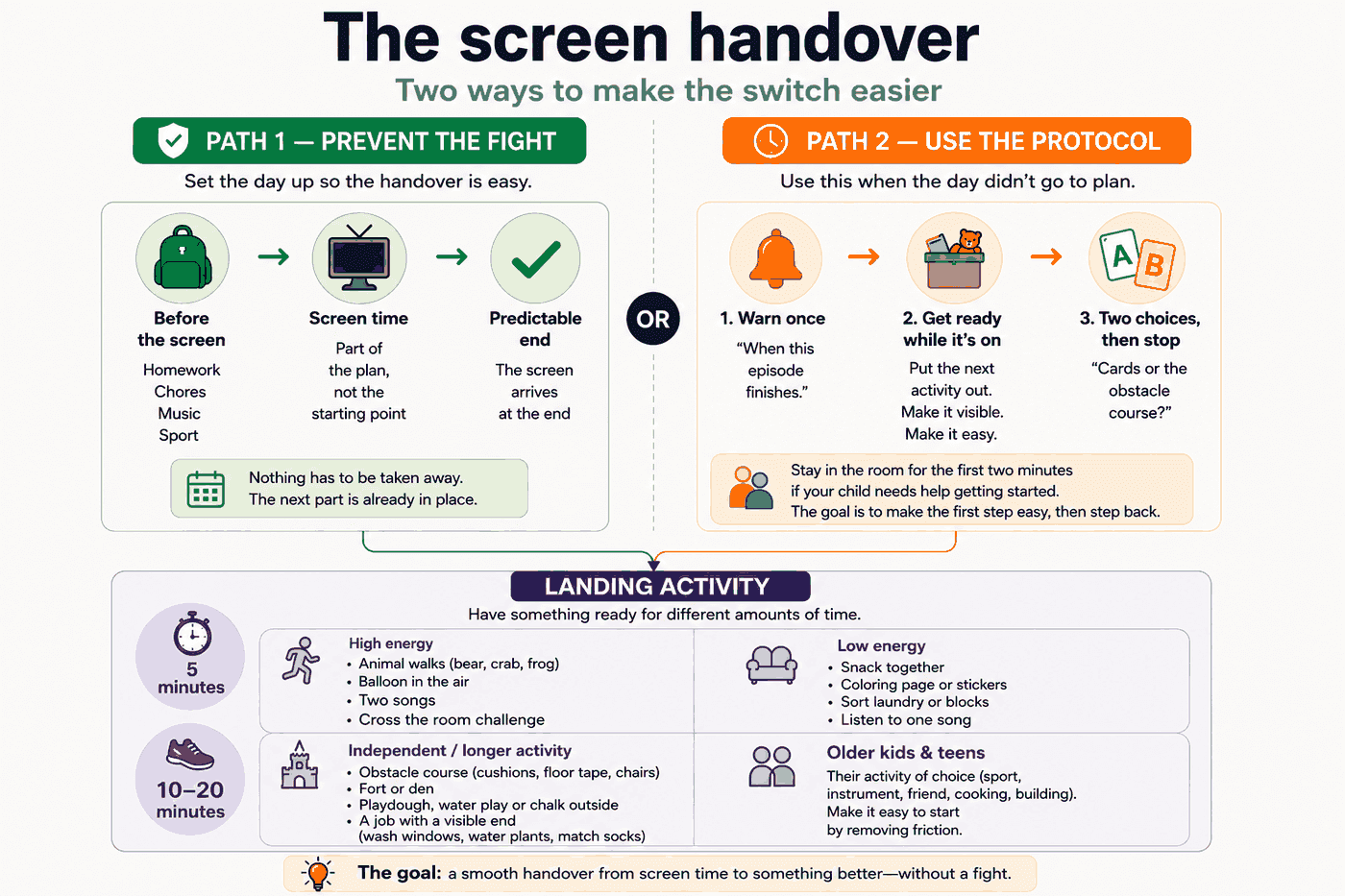
The handover is hardest when the screen comes first and everything else has to follow it. Reverse the order and the difficult moment can become easier, because the screen is part of the plan rather than something that suddenly has to be taken away.
In practice: homework, chores, music practice and going outside happen first. Screen time is what the afternoon finishes with rather than what it opens with.

This is also consistent with federal guidance. The U.S. Department of Health and Human Services, through the Office of the Surgeon General, recommends providing alternatives so screen use is not the default when children are bored. Its guidance also says to prioritize desirable activities such as chores, homework, music or sports before screen use.
Set that order at a calm time rather than announcing a new system in the middle of a disagreement. Give the new order time to become familiar. The first few days may not feel smooth.
2. The three-step transition
Most days will not be organized in advance. This is the version for those days.
- Warn once, with an end point your child can see. “When this episode finishes” is clearer than “ten more minutes” for a child who cannot yet feel ten minutes passing.
- Get the next activity out while the screen is still on. Put the box on the floor, the paper on the table, or the shoes by the door. The next step should already be visible before the screen ends.
- Offer two options, then stop negotiating. “Cards or the obstacle course?” not “What do you want to do?” Give two concrete choices and keep the end point the same.
If your child needs help getting started, stay in the room for the first two minutes. The goal is to make the first step easy, then step back.
3. What to have ready: five minutes, or ten to twenty
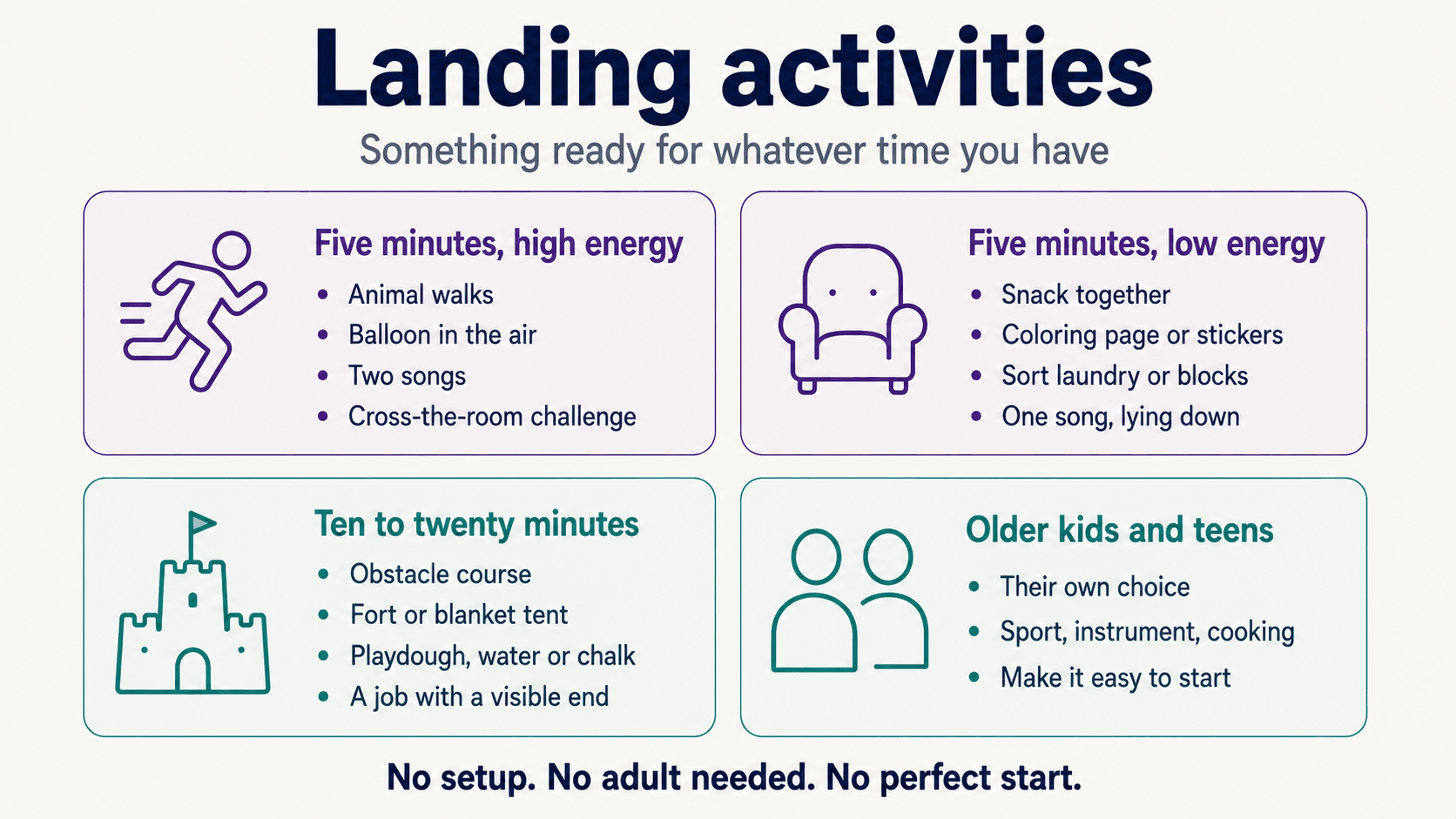
These are landing activities, not entertainment. A landing activity has three properties: it needs little or no setup, it does not depend on an adult running it, and it can be started without being perfect.
Five minutes, high energy
- Animal walks down the hallway and back — bear, crab or frog
- See how many times they can cross the room without touching the floor
- Keep a balloon in the air, with no hands after the first hit
- Two songs: they choose the first, you choose the second
Five minutes, low energy
- Snack at the table with you, without turning it into a conversation about the school day
- Stickers, stamps or a coloring page already on the table
- Sorting something simple — laundry, cards or blocks by color
- Lying on the floor and listening to one song
Ten to twenty minutes, independent
- Obstacle course from cushions, floor tape and chairs
- Fort or blanket tent — the building is the activity, not the result
- Playdough, water play or chalk outside
- A job with a visible end: washing car windows, watering plants or matching socks
Older children and teenagers
The same structure can work, but the landing activity has to be theirs rather than yours. Ask at a calm time what they would actually choose — a sport, an instrument, cooking, building something or seeing a friend — then remove the friction: equipment out, ingredients ready, arrangement already made.
For older children, the useful question is less “What activity should I give you?” and more “What do you already like that could be easier to start?”
4. An after-school order that needs less negotiation
A routine works when it removes decisions, not when it fills every minute. Four blocks in a predictable order are enough to create a simple handoff.
| Block | What it is for |
|---|---|
| Arrive | Bag down, shoes off, snack. Give everyone a moment to reset. |
| Move | Outside if possible, indoors if not. Keep it simple. |
| Work | Homework, practice or chores. Use the same place when practical. |
| Free | Their choice, including screens if that is the family agreement. |

The order matters more than the exact timing. If one block is skipped on a difficult day, simply continue with what comes next rather than rebuilding the whole afternoon.
5. When the plan breaks
- You are on a call or cooking. Use a low-energy option and put it out before you become occupied.
- Rain, or a small home. Animal walks, cushion courses and balloon games can work in a hallway or other small space. For more ideas sorted by age and space, see 15 active indoor games for kids.
- They ask for another screen immediately. Answer once, calmly, and keep the original end point. Repeating the explanation can turn a decision into a debate.
- They are hungry or tired. Check the basics first. Offer food or a chance to rest if needed, and lower your expectations for the transition.
6. What not to do
- Do not turn the screen off without warning unless safety requires it.
- Do not make extra screen time the reward for coming off the screen calmly.
- Do not make the alternative sound like a punishment. “Fine, go and do something useful then” makes the next switch harder.
- Do not build a schedule you cannot run on a difficult week. A simple routine you can repeat is more useful than a perfect routine you abandon.
7. Why this approach makes sense
Having a screen rule is not the same as making the transition work. In a national survey of U.S. parents of children aged 12 and under, most reported having rules about screens, but only around one in five said they always managed to stick to them.
That gap matters here. A rule tells a child when screen use ends; it does not automatically tell them what to do next. The federal guidance cited above addresses exactly that: making alternatives available, and putting desirable activities before screen use rather than after it.
That is the practical reason for the two-path approach in this guide: either the day’s order makes the handoff easier, or a short transition protocol makes the next activity easier to start. For the morning version of the same idea, see how to build a school morning routine that works and screen time before school starts.
Movement can be one useful type of landing activity. The Centers for Disease Control and Prevention recommends that children and adolescents ages 6–17 get at least 60 minutes of moderate-to-vigorous physical activity each day. This article does not prescribe how much screen time a child should have; it simply makes movement one available option when the screen ends.
If you want the research rather than the practical steps, we cover how screen time affects children’s sleep, why unstructured free play matters, and what boredom actually does for a child’s brain. For setting screen limits in the first place, see 7 ways to reduce screen time without the battles.
Frequently asked questions
How long should the transition take?
There is no single transition time that works for every child. Focus first on making the next step clear and easy to start. If the transition is still going badly, check the basics: is your child hungry, tired or already overwhelmed?
My child says they are bored. Should I fix that?
Not immediately. Offer the two choices you already prepared, then give your child some space to decide. You do not need to produce a new activity every time they say they are bored.
Does this work for teenagers?
The ordering can. The activity needs to be something they actually value rather than something chosen for them. Ask what they would genuinely like to do, then make that option easy to start.
What if screens are the only thing that calms my child down?
Do not treat that as a moral failure. If screens seem to be the only reliable way your child settles, especially alongside difficulties with sleep, school or everyday functioning, bring the concern to your child’s pediatrician.
References
- U.S. Department of Health and Human Services, Office of the Surgeon General. The Harms of Screen Use. Surgeon General’s Advisory. Content last reviewed September 1, 2026. hhs.gov
- Pew Research Center. How Parents Manage Screen Time for Kids. Survey of U.S. parents conducted May 13–26, 2025. Published October 8, 2025.
- Centers for Disease Control and Prevention. Physical Activity Guidelines for School-Aged Children and Adolescents.